
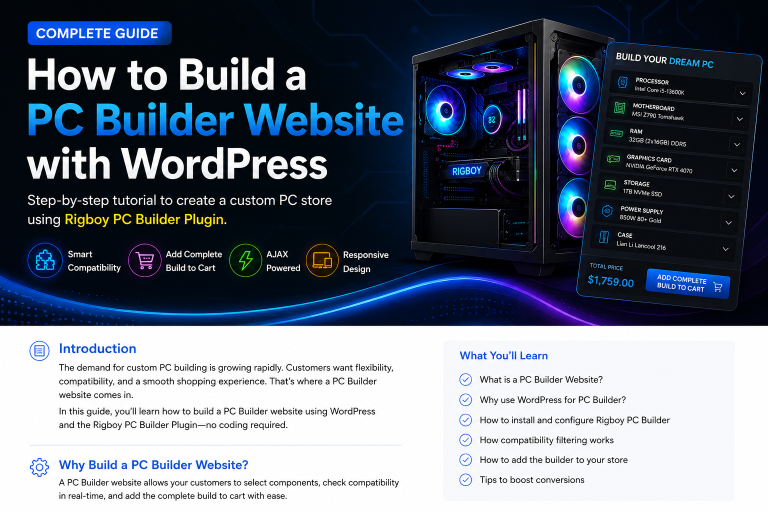
Building a custom PC online has become one of the most popular ways for customers to purchase computer hardware. Whether they’re assembling a gaming PC, workstation, or office computer, users want the ability to select components, check compatibility, and see pricing updates in real time.
In this guide, you’ll learn how to create a professional PC Builder website using WordPress, WooCommerce, and the Rigboy PC Builder Plugin.
Why Build a PC Builder Website?
Traditional online stores require customers to browse multiple categories and manually verify compatibility between components.
A PC Builder website simplifies the process by allowing customers to:
- Select PC components from a single interface
- Check compatibility automatically
- View live pricing updates
- Add the complete build to the cart
- Complete purchases quickly
This creates a smoother shopping experience and helps increase conversions.
What You Need
Before getting started, make sure you have:
- WordPress installed
- WooCommerce installed and configured
- A WooCommerce-compatible theme
- Rigboy PC Builder Plugin
- Product categories for PC components
Step 1: Install WooCommerce
WooCommerce serves as the foundation of your online store.
After installation:
- Configure store settings
- Set your currency
- Configure payment gateways
- Configure shipping options
- Create product categories
Recommended categories:
- Processor
- Motherboard
- RAM
- Graphics Card
- Storage
- Power Supply
- CPU Cooler
- Case
Step 2: Install Rigboy PC Builder
Upload and activate the Rigboy PC Builder Plugin.
After activation, you’ll gain access to advanced PC building features directly inside WooCommerce.
Features include:
✅ Compatibility Filtering
✅ AJAX Component Selection
✅ Build Summary Panel
✅ Add Complete Build to Cart
✅ Responsive Mobile Design
✅ WooCommerce Integration
Step 3: Create Component Categories
Organize your products properly.
Example structure:
Processor
- AMD Ryzen 7 7800X3D
- Intel Core i7-14700K
Motherboard
- ASUS B650
- MSI Z790
RAM
- Corsair DDR5 32GB
- Kingston Fury DDR5
Graphics Card
- RTX 4070
- RTX 4080
This organization makes compatibility filtering much easier.
Step 4: Configure Compatibility Rules
Compatibility filtering is one of the most important features of a PC Builder website.
For example:
AMD AM5 CPU
Compatible with:
- B650 Motherboards
- X670 Motherboards
Intel LGA1700 CPU
Compatible with:
- B760 Motherboards
- Z790 Motherboards
When customers select a CPU, Rigboy automatically displays compatible products and hides unsupported options.
This prevents configuration errors and improves the user experience.